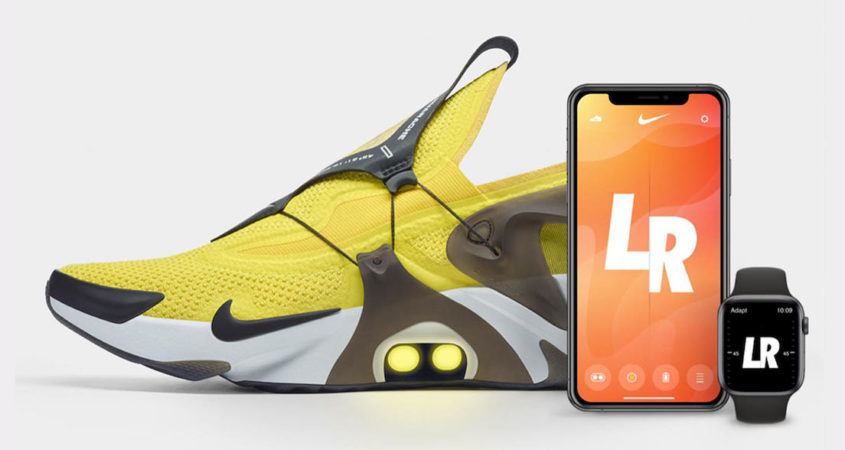
Nike today announced the Nike Adapt Huarache shoe, which features the company’s “FitAdapt” technology that lets you adjust the fit of the shoe through Siri or your Apple Watch.
Similar to the Nike Adapt BB shoes from earlier this year, the new Huarache shoe includes a FitAdapt lacing system. Run from a midfoot motor, the system is controlled by the connected Nike app and tightens or loosens the shoe based on user control.
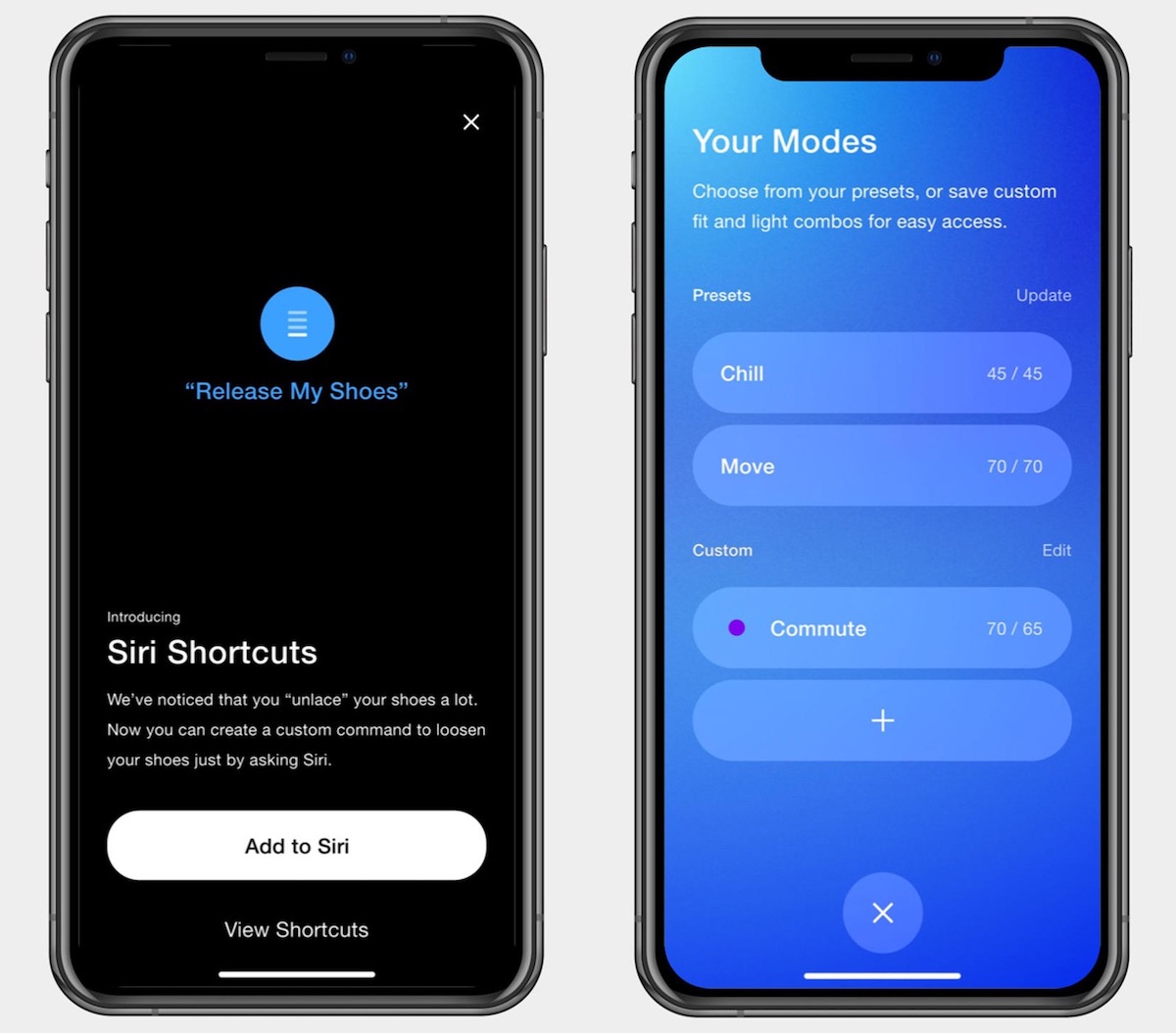
For the first time, these controls include speaking to Siri on your iPhone, or using the Apple Watch app. The shoe also offers preset modes for custom fits, and support for Siri Shortcuts for even easier control over the laces.
In a PR image of the Nike app, the company gives an example of a Siri Shortcut like “Hey Siri, release my shoes” as a way to loosen the fit of the Nike Adapt Huarache.
The new Huarache shoes are a continuation of the original line that debuted in 1991. The new sneakers will go on sale on September 13 at select retailers.
There are quite a few deals on Apple’s biggest products going on today, including notable markdowns on the iMac, MacBook Pro, MacBook Air, and iPad. Some of the sales come from Best Buy’s new Labor Day sale, which will last through Monday, September 2 and includes free shipping for My Best Buy members.
Note: MacRumors is an affiliate partner with these vendors. When you click a link and make a purchase, we may receive a small payment, which helps us keep the site running.
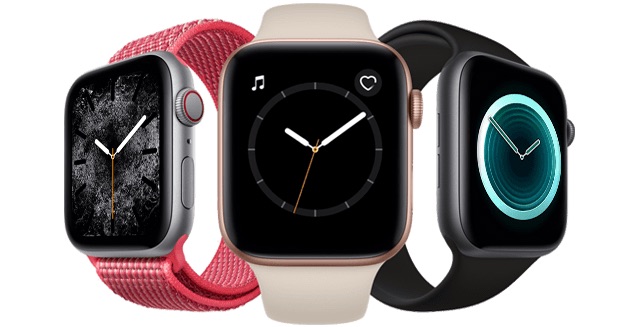
Apple Watch Series 4
Best Buy’s Labor Day sale event has $50 off the Apple Watch Series 4 (GPS) and $70 off models with cellular support. This means that prices start at $349.00 for 40mm Aluminum models (GPS) and $379.00 for 44mm Aluminum models (GPS), and then rise to $429.00 for 40mm Aluminum models (GPS + cellular) and $459.00 for 44mm Aluminum models (GPS + cellular).
Of course, there are a wide variety of Apple Watches on sale at Best Buy through this weekend, including Nike+ editions and models with stainless steel cases. You can browse the full list by heading to Best Buy, and then check out the full Labor Day sale by visiting this page.
iMac
For the iMac, Best Buy, Amazon, and B&H Photo all have lowest-ever prices for numerous iMac models this week.
27-inch (Early 2019)
3.0GHz, 8GB RAM, 1TB Fusion – $1,599.99, down from $1,799.00 ($200 off) [Best Buy]
3.1GHz, 8GB RAM, 1TB Fusion – $1,799.00, down from $1,999.00 ($200 off, lowest ever) [Amazon]
3.7GHz, 8GB RAM, 2TB Fusion – $2,099.00, down from $2,299.00 ($200 off, lowest ever) [Amazon]
MacBook Air
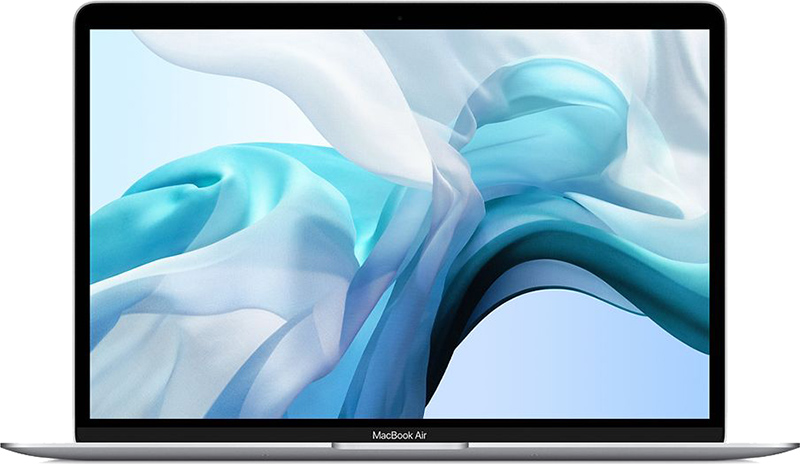
B&H Photo is discounting the MacBook Air from late 2018 by up to $300, while Amazon has discounts on the newest MacBook Air models from Mid 2019.
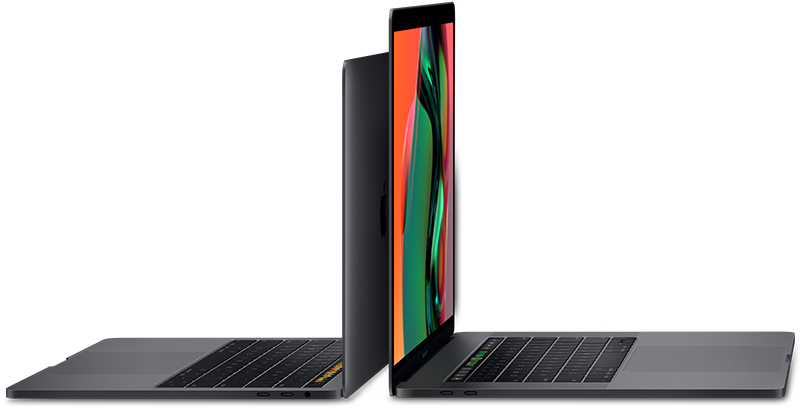
Best Buy’s Labor Day sale includes a few solid discounts on the brand-new MacBook Pro from 2019, with lowest-ever prices on both the 13-inch and 15-inch models.
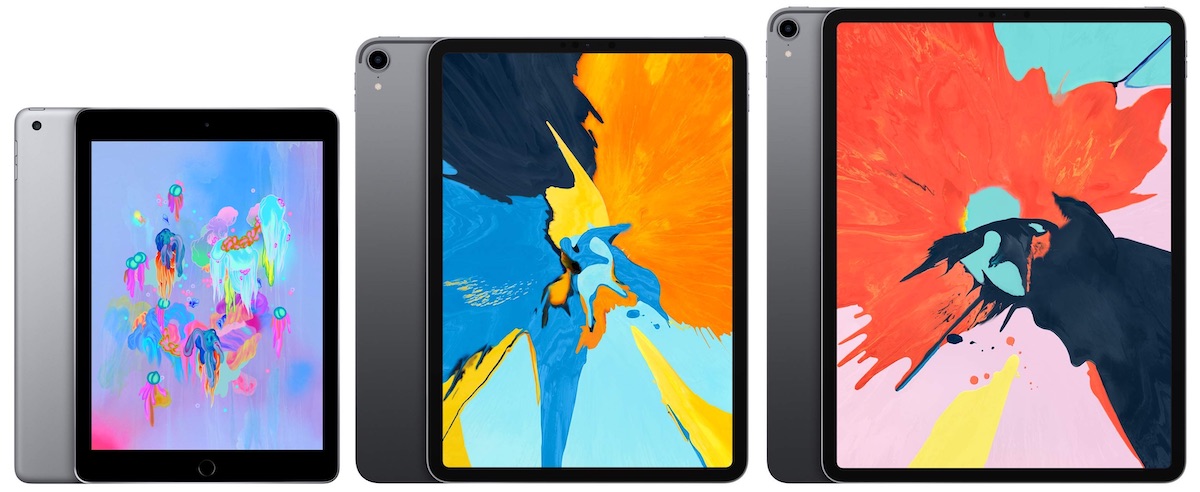
Amazon today began discounting the 2018 9.7-inch iPad to as low as $249.00, with savings of up to $100 off original prices of the tablet. We’ve also rounded up a few sales on the iPad Pro below, all of which can also be found on Amazon.
Micro Center is having a notable doorbuster-style deal on the second-generation AirPods with a wireless charging case, offering them for $149.99, down from Apple’s regular price of $199. This is the lowest price we’ve ever seen.
The catch is that the deal is only available at Micro Center retail stores, likely to draw in foot traffic, although orders can be reserved online for in-store pickup. The Apple Authorized Reseller has only 25 locations across the United States, so be sure to check if there is a location in your area.
The deals are limited to one per household, and supplies are likely extremely limited, so we recommend calling ahead if you are planning on visiting a Micro Center store. There’s no indication when the sales end, so act fast.
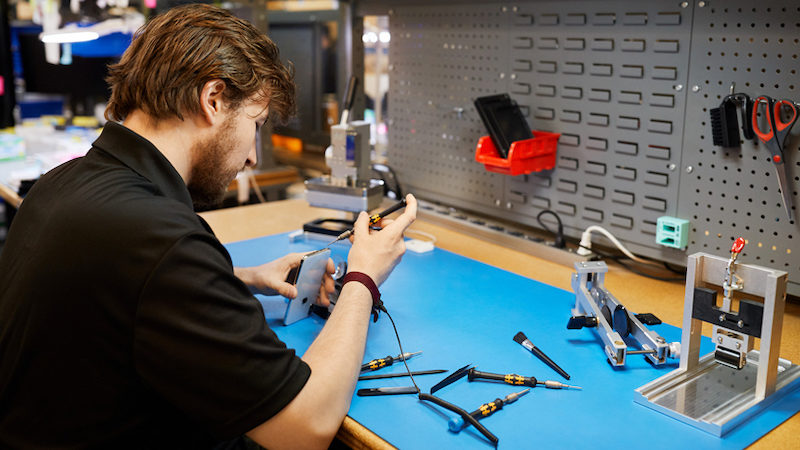
Apple today announced it is launching a new Independent Repair Provider Program that will provide independent repair businesses with the same Apple genuine parts, tools, training, repair manuals, and diagnostics as Apple Authorized Service Providers, starting in the United States.
The program will only allow independent repair shops to offer out-of-warranty service for iPhones, such as display and battery replacements, with no mention of in-warranty repairs or other devices at this time. Apple has set up a new page on its website where businesses can learn more and apply.
To qualify, repair shops must be an established business with verification documents available for review by Apple, must be in a commercially zoned area, and must have an Apple-certified technician on staff to perform the out-of-warranty iPhone repairs when using genuine parts. There is no cost to join the program.
Apple also says that meeting the requirements does not guarantee acceptance into the program, and it reserves the right to reject any application without comment, so we’ll have to see how flexible the company chooses to be.
Apple COO Jeff Williams:
To better meet our customers’ needs, we’re making it easier for independent providers across the US to tap into the same resources as our Apple Authorized Service Provider network. When a repair is needed, a customer should have confidence the repair is done right. We believe the safest and most reliable repair is one handled by a trained technician using genuine parts that have been properly engineered and rigorously tested.
Over the past year, Apple says it launched a pilot with 20 independent repair businesses in North America, Europe, and Asia who are currently offering genuine parts for repairs. Apple plans to expand the program to other countries over time.
While limited to out-of-warranty iPhone repairs for now, this can certainly be viewed as a step in the right direction for Right to Repair advocates.
Japanese developer DeNA’s latest free-to-play Pokémon game, Pokémon Masters, has just been released a day early on iOS and Android.
Announced in June, the game is a collaboration between Pokémon Company and DeNA, the mobile game company also responsible for Super Mario Run and Fire Emblem Heroes.
Pokémon Masters switches up the dynamic that Pokémon fans will be used to. The title has players form a team of Pokémon Trainers to engage in 3-on-3 real-time battles with other AI Trainers.
But it takes place on the island of Pasio, where the typical rules of Pokémon battles are different than other regions.
In this game world region, turn-based battles are a thing of the past. Instead, Pokémon Masters features “sync pairs,” which lets players team up with well-known Trainers from previous Pokémon games, and their partner Pokémon.
There are 65 total sync pairs to recruit in the game, with additional sync pairs expected to be released at a later date.
Pokémon Masters is available on the App Store for both iPhone and iPad and requires iOS 11 or later to play. [Direct Link]
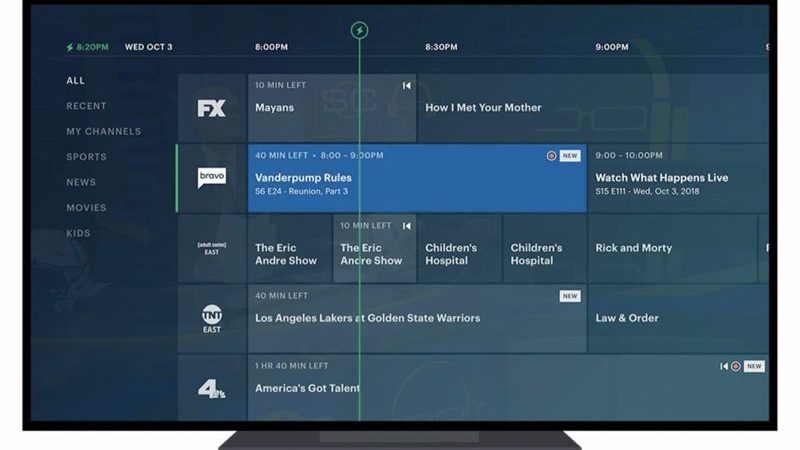
Hulu’s updated and redesigned Live Guide is rolling out today on Apple TV, Roku devices, and the web, Hulu announced today.
The upcoming changes to the Live Guide were first announced in January, but took several months to launch.
Hulu live TV users can now see what’s airing over the course of the next two weeks and can schedule recordings for upcoming tv shows, movies, and games in advance.
There’s an option to add content to a “My Channels” list to make it easier to keep track of favorite channels and programs, with the My Channels option available from the Home interface and the Live Guide itself.
Hulu says it’s easier to find recommended TV shows and movies from the Home interface, and it’s easier to browse through content collections using categories like sports, news, movies, and kids.
Hulu earlier this week also began rolling out an updated version of its mobile app that’s designed to make it easier to find content, but the mobile app update does not include the new Live Guide.
At WWDC 2019, Apple announced Offline Finding, codenamed Blue Avengers, as one of the new features of iOS 13 and macOS Catalina. It allows users to find their devices even when their lost devices are not connected to the internet.
A background process called Search Party intermittently broadcasts and receives Bluetooth beacon signals so that every nearby online device running iOS 13 or macOS Catalina can relay the location of lost offline devices to their owners. Offline Finding even works if the device is asleep, in which case the device enters a “dark wake” state to broadcast a Bluetooth beacon signal. Apple uses public key encryption and rotates the public key to keep everyone’s location information secure and private.
Beyond the ability to find devices themselves, Apple is rumored to be planning to compete with Tile and announce a small Bluetooth beacon device that uses the same Offline Finding technology as iOS 13 and Catalina devices. This small beacon device could be attached to personal items such as keys, purses or wallets so that the owner could find them even when out of range of the items. An ARKit “star” image discovered in the Find My app bundle hints at the possibility of using augmented reality to find lost devices or items, similar to Pixie Tracker.
Also according to code strings found in iOS 13, Apple may apparently allow these beacon devices to be “leashed” to an iOS or watchOS device so that the user would be notified when a beacon device is out of range of an iOS or watchOS device. Tile offers similar functionality, which it calls smart alerts and is only included with Tile’s premium monthly service.
After upgrading to iOS 13 when it is released this Fall the Offline Finding feature is enabled by default if you have Find My iPhone and Bluetooth enabled. You can check that Offline Finding is enabled by going to Settings > Apple ID, iCloud, iTunes & App Store > Find My > Find My iPhone > Offline Finding.
macOS Catalina, the newest version of the software that runs on the Mac, is set to come out in just a few weeks. macOS updates don’t often receive as much attention as iOS updates, so there are some macOS Catalina features that may have gone under the radar.
We’ve covered major new additions in macOS Catalina in beta posts and our roundup, but we thought it would be worth highlighting some of the smaller changes and tweaks that are worth knowing about.
– Notes Sharing – In the Notes app, there are new sharing options that let you share an entire folder of notes or share a note in a view-only capacity, so someone can see it but not edit it.
– Easy Multitasking – If you hover over the green button on any app, there’s an option to tile it to the left or the right, which sends it to one side of the screen so you can open another app right next to it for quick multitasking. You can also use this feature to send an app fullscreen, of course.
– Signing Documents – In macOS Catalina, if you need to sign a PDF or another document, you can do so with your iPhone or iPad. Just use the Markup menu inside of Preview, choose Signature, and then create signature. You can sign right on your touchscreen after selecting an iOS device.
– One-Click Unsubscribe in Mail – There’s a new feature in the Mail app that puts a handy little unsubscribe link right at the top of mailing list emails so you can get off of mailing lists quick.
– Picture in Picture – In Safari, there’s an option to enter picture in picture mode by clicking on the little sound icon that’s up in the navigation bar and selecting the “Picture in Picture” option. This pulls out the video window so you can watch while you browse the web. Picture in Picture is also now available inside QuickTime (just click the Picture in Picture button in the navigation controller).
– Automatic Dark Mode – macOS Mojave brought Dark Mode, but in macOS Catalina, there’s a new “Auto” option that will swap between Dark Mode and Light Mode in the mornings and the evenings. You can turn it on by opening up System Preferences and going to the General tab.
– Relocated Apple ID and Device Syncing – macOS Catalina splits iTunes into Music, TV, and Podcasts, which means some iTunes features have been relocated. Device syncing is now handled through the Finder app when an iPhone or iPad is connected, and managing your Apple ID is now done in System Preferences.
– iCloud File Sharing – In iCloud Drive, there’s now an option to share entire iCloud folders with another user. Just right click on a folder and choose share.
– iCloud File Deletion Tweaks – You can remove downloads from your Mac without deleting them from iCloud in Catalina. Right click on a file and select the “Remove Download” option. This will make it available only on iCloud, with a little iCloud icon denoting that it’s no longer on your machine.
Have other tips and tricks worth knowing that we didn’t include in the video? Let us know about them in the comments.
The carrier previously introduced eSIM support for prepaid plans, but starting today, the eSIM can also be used to activate one of T-Mobile’s postpaid plans.
With the new eSIM support, customers who already have a phone plan with one carrier, like AT&T or Verizon, can sign up for a standard postpaid plan with T-Mobile and use services from both carriers simultaneously on a single device.
Combined with the physical nano-SIM slot, the extra eSIM option is useful for iPhone owners who need to access both work and personal numbers on one device, or set up a device with an international number while traveling.
The eSIM can also be used to activate an iPhone with T-Mobile without the need for a physical SIM card.
T-Mobile says that customers interested in activating their iPhones with a postpaid plan via eSIM can visit a T-Mobile store as of today.
Along with T-Mobile, Verizon and AT&T offer eSIM support in the United States, but Sprint does not.



 Beyond the ability to find devices themselves, Apple is rumored to be planning to compete with Tile and